Clear what you don't need.
Keep what matters.
Pruna finds duplicate and similar photos, large videos, screenshots and blurry shots, and tidies up contacts and old calendar events. You decide what goes — and nothing is deleted without your OK.
For iPhone with iOS 17 or later.
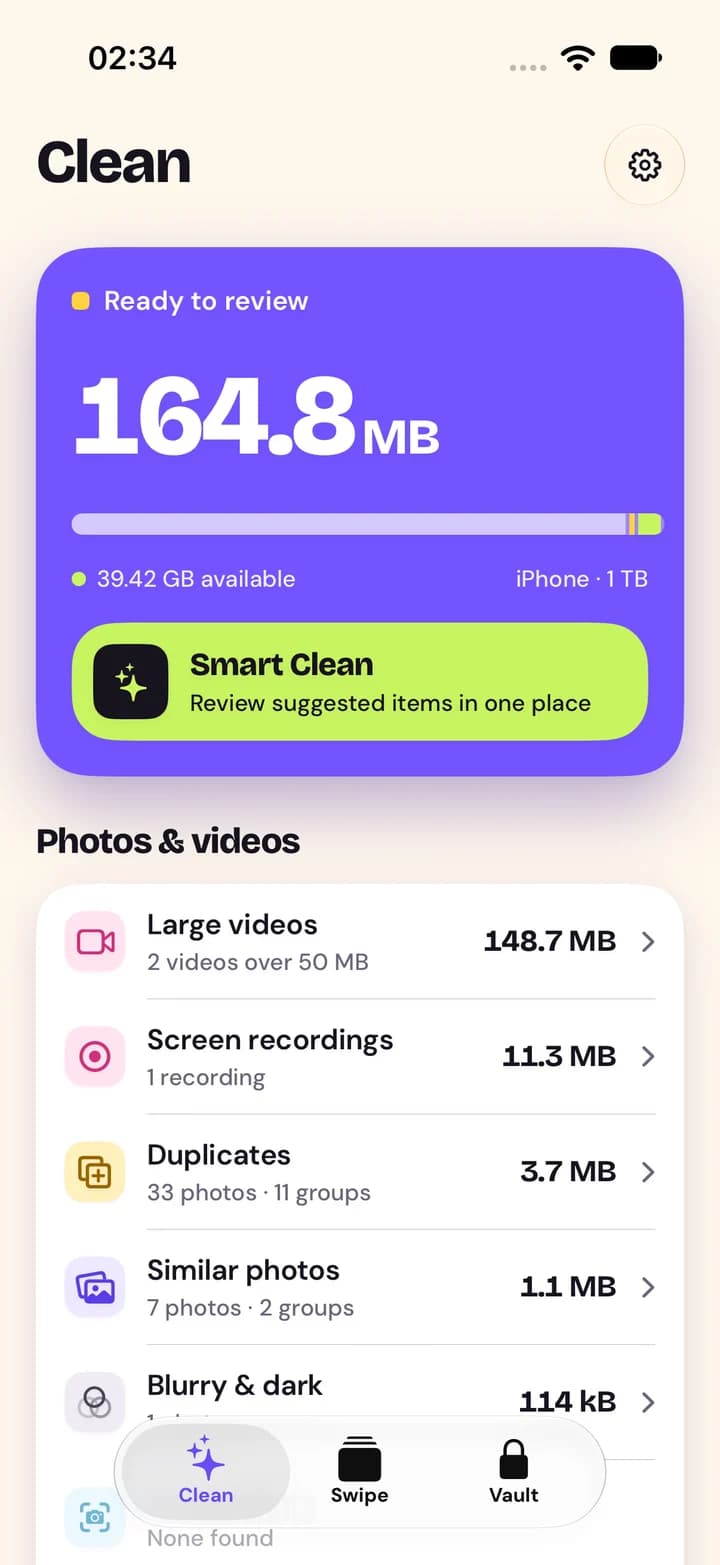
Everything that fills your iPhone, in one place
Pruna sorts your library into clear categories with real sizes, suggests what to remove and leaves the final call to you.
Duplicates
Exact and near-exact copies are grouped. The best shot is kept, favorites are never selected for you.
Similar photos
Bursts and series taken seconds apart, grouped so you can keep the best one and let the rest go.
Screenshots & screen recordings
Everything you captured once and forgot about, with the size of each.
Large videos
Videos over 50 MB, largest first, with their length and size.
Live Photos
Keep them as still photos: the photo stays, the motion that takes up the space goes.
Blurry & dark
Out-of-focus, dark and blank shots found by on-device image analysis.
Smart Clean
Suggested items from several categories in one review, each counted once, with switches for what to include.
Swipe by month
Go through your library month by month: right to keep, left to delete, with undo. Nothing is deleted until you confirm.
Contacts
Merge duplicate contacts and clear entries without a name or number. A backup is saved before every change.
Calendar
Remove past events and finished repeating series. Series that still go on are never offered, and a backup is saved first.
Encrypted vault
Keep private photos, videos and contacts encrypted on your iPhone, opened with your PIN or Face ID.
40 languages
Pruna follows your iPhone's language, from English and Türkçe to العربية and 日本語.
Clear screens, real sizes
Every number in Pruna comes from your library. Here is what it looks like.
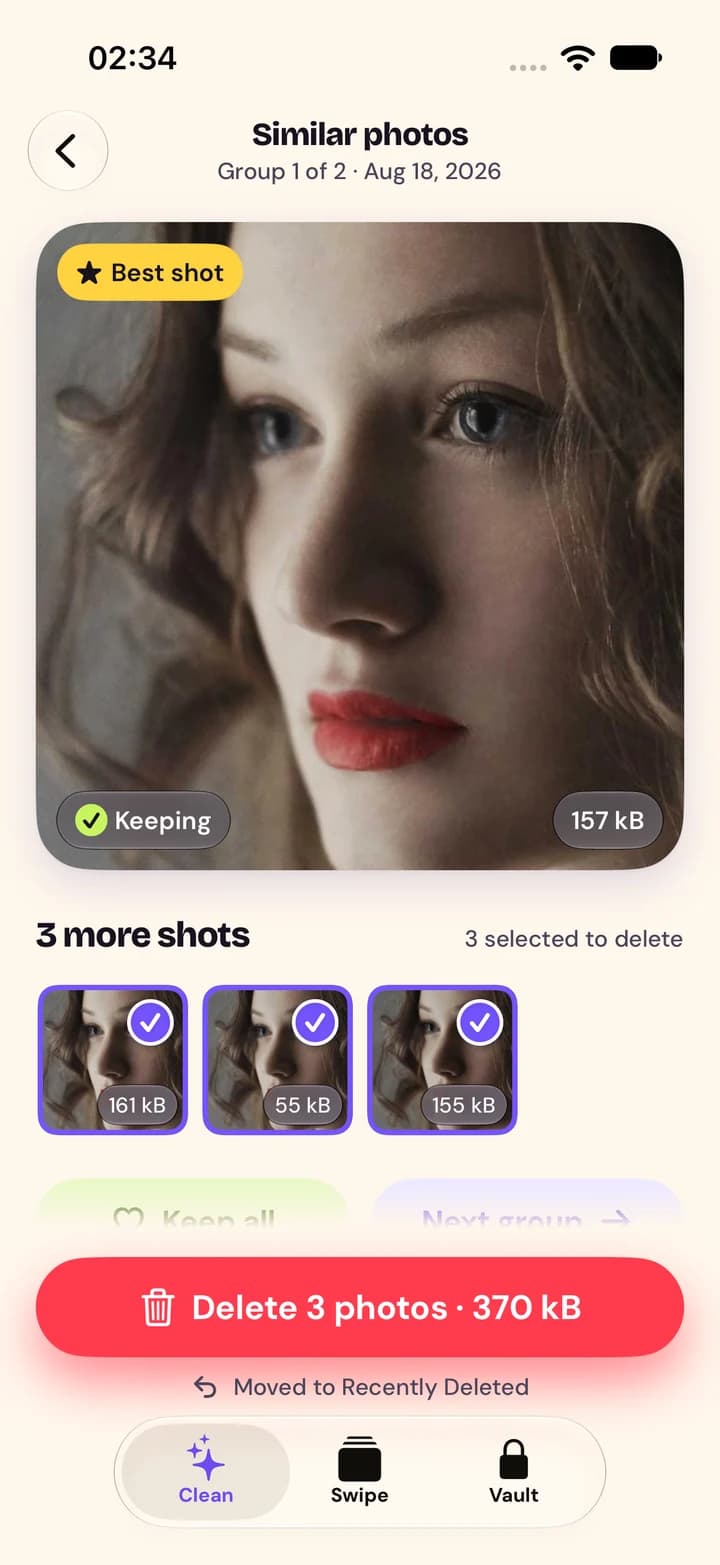
Similar photos
The best shot stays; the others are suggested.
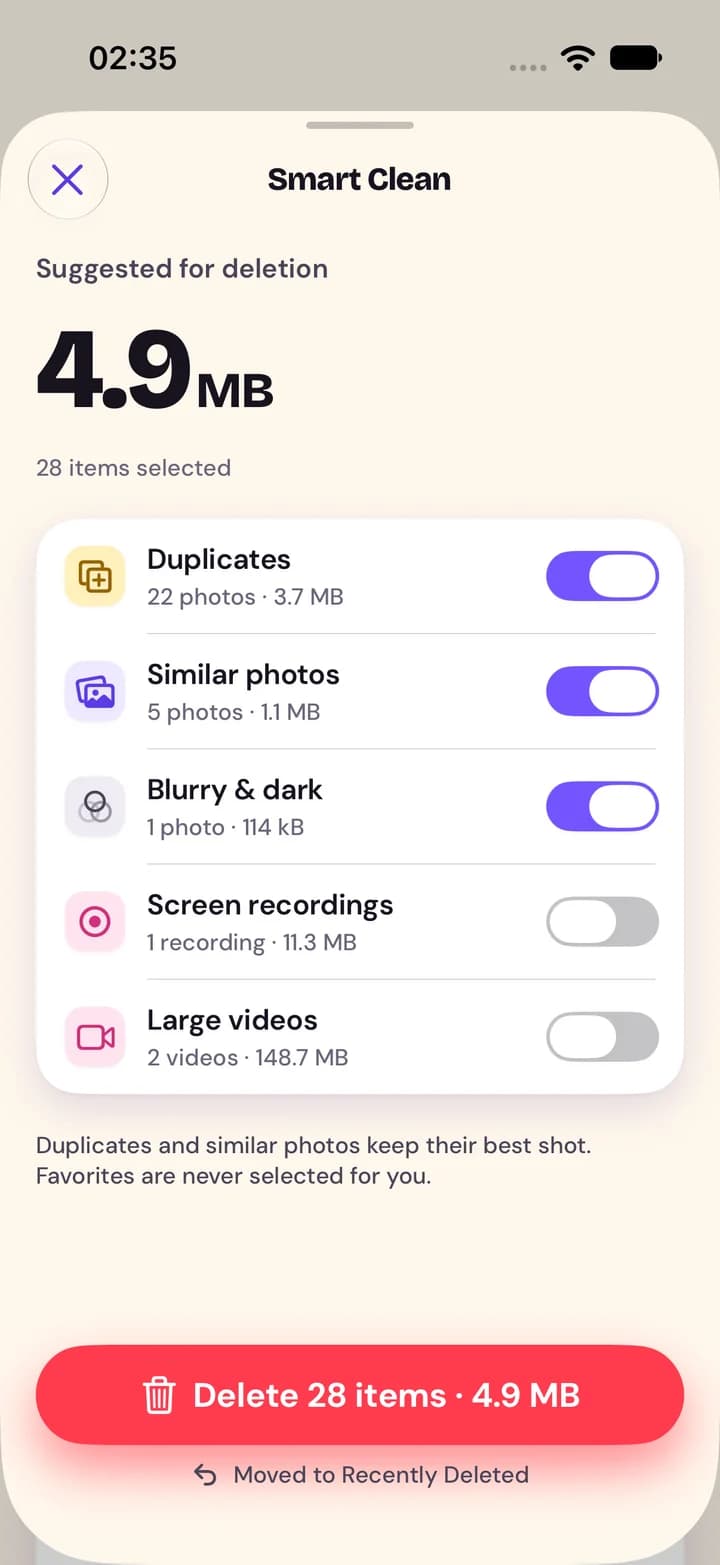
Smart Clean
Pick the categories, review, confirm once.
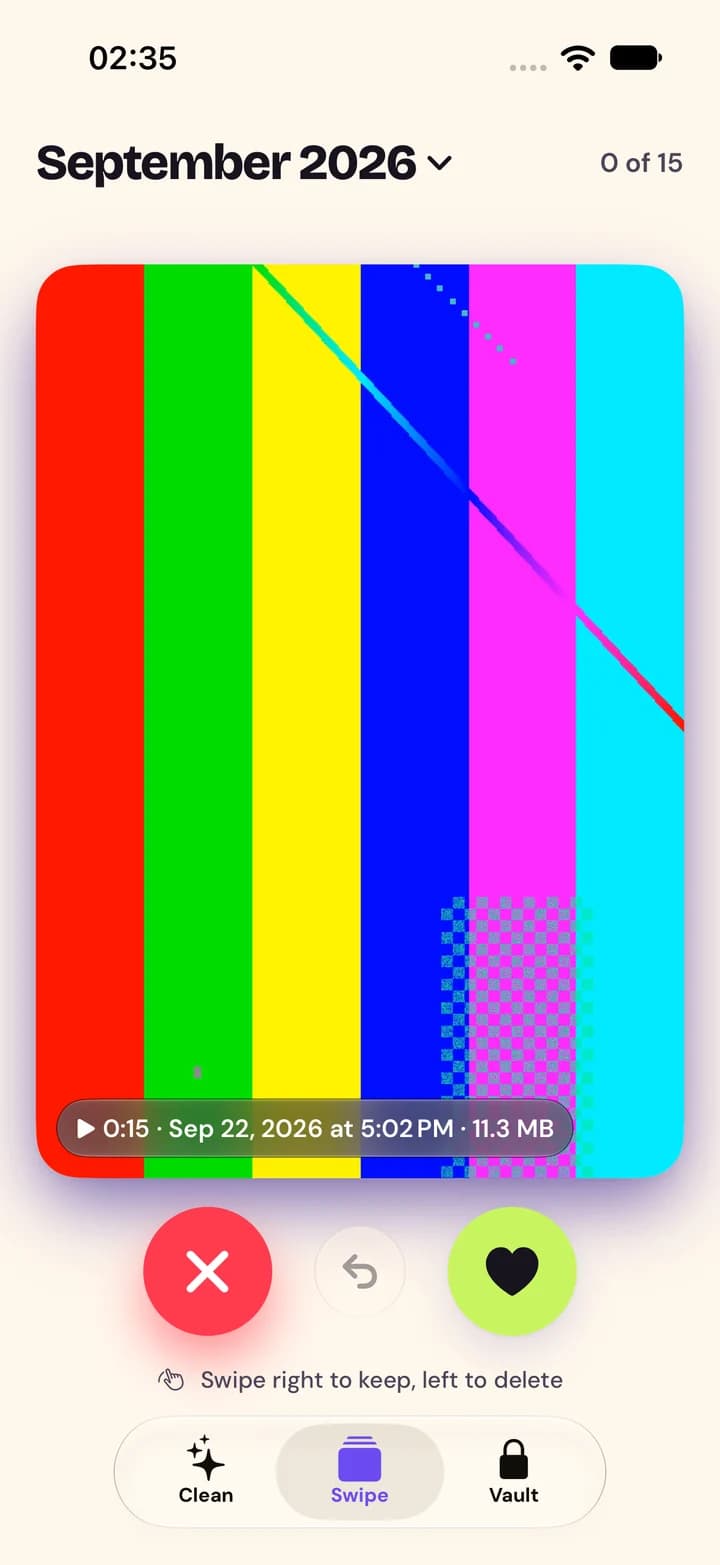
Swipe
Right to keep, left to delete.
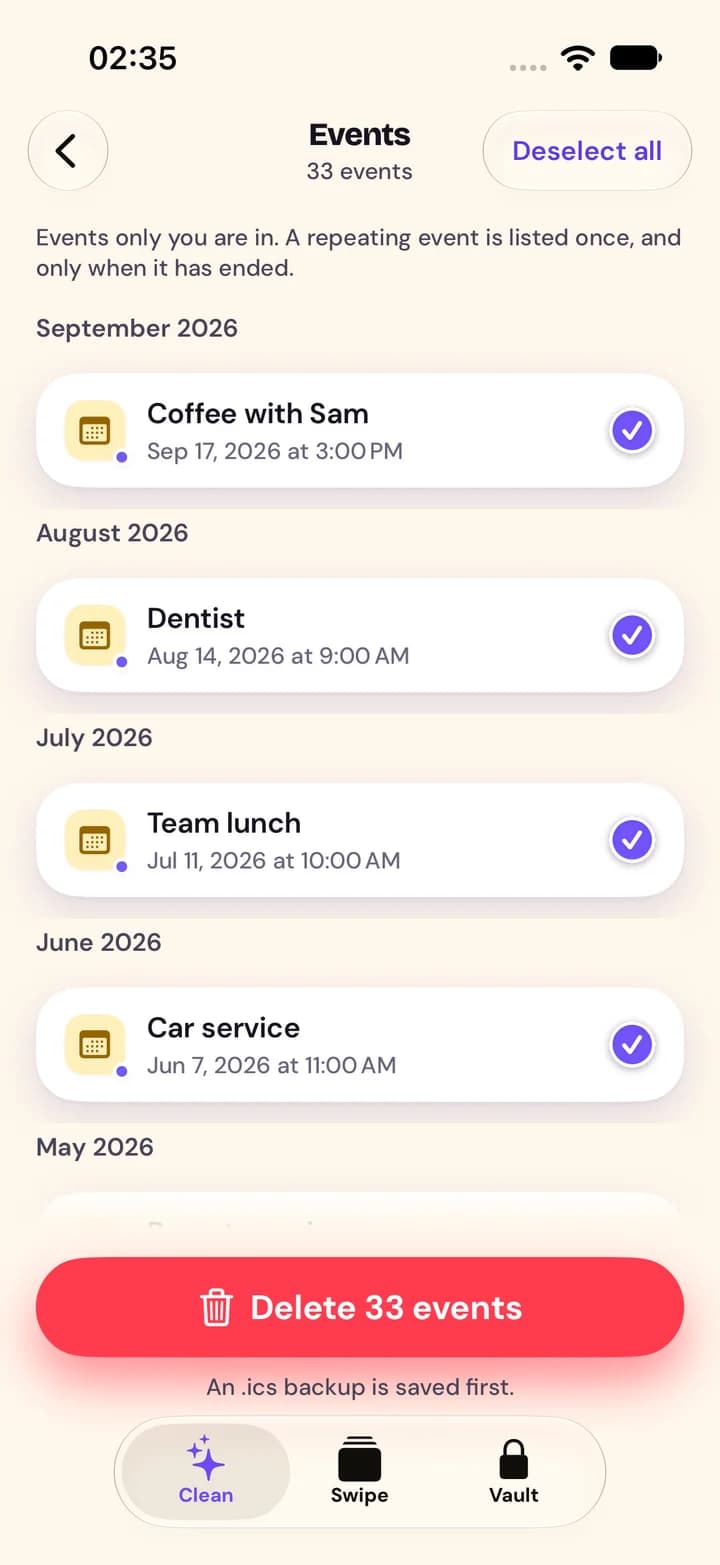
Calendar
Past events by month, backed up first.
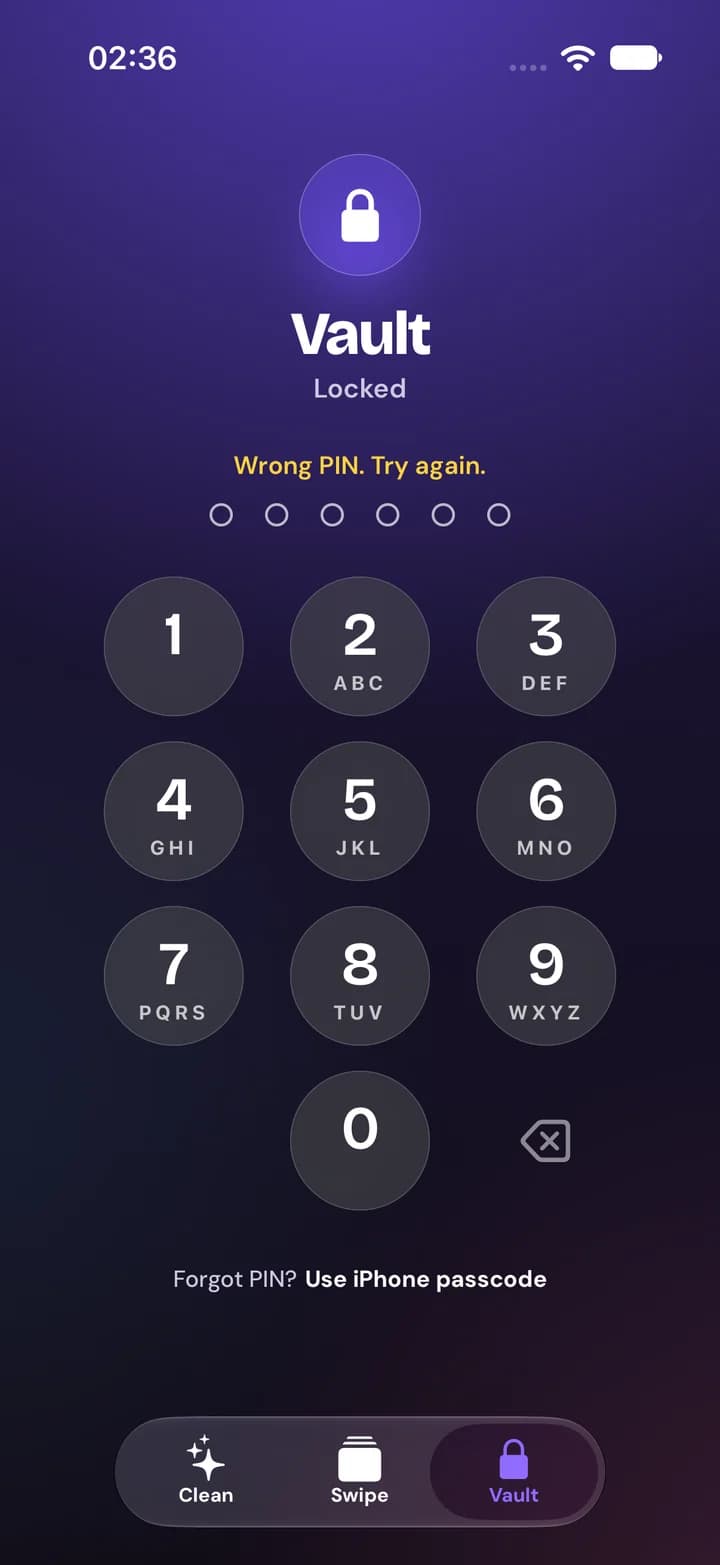
Vault
Encrypted, opened with your PIN or Face ID.
Screenshots of the app with a test photo library.
Three steps, your call at each one
Pruna does the finding. You do the deciding.
- 1
Scan
Allow access to your photos. Pruna reads sizes right away and analyzes your library on the device, showing its real progress.
- 2
Review
Browse categories and groups, see what each takes up, and change any suggestion. Favorites are never selected for you.
- 3
Clean
Confirm once in the iOS prompt. Photos move to Recently Deleted; contacts and events are backed up before they change.
Space is freed when photos leave Recently Deleted — when you empty the album in the Photos app, or automatically after 30 days. Until then you can recover them in Photos.
Look at everything for free
Scanning and reviewing are free. Pruna Pro is needed when you remove things.
Free
See what's taking up space.
- Scan your library and browse every category with real sizes
- Sort with Swipe — your decisions are saved
- Review contacts and calendar events
- Set up the vault; open, export and restore what's in it
- Restore contact and calendar backups
Pruna Pro
SubscriptionClean up what you've reviewed.
- Delete photos and videos, including Smart Clean and Swipe
- Keep Live Photos as stills
- Merge and delete contacts
- Delete calendar events
- Add photos, videos and contacts to the vault
The price, billing period and any free trial are shown in the App Store before you subscribe. Subscriptions renew automatically unless cancelled at least 24 hours before the end of the period, and can be managed in your Apple Account settings. If your subscription ends, everything in your vault stays yours to open, export and restore.
Questions, answered
More help is on the support page.
Are my photos uploaded anywhere?
No. Pruna analyzes photos, contacts and calendars on your iPhone and never uploads them. The app sends only anonymous usage events with coarse ranges and crash reports — see the privacy policy for exactly what.
Where do deleted photos go?
To the Recently Deleted album of the Photos app, where they stay for 30 days. You can recover them there at any time during those 30 days.
Why hasn't my free space changed yet?
Photos in Recently Deleted still take up space. It is freed when you empty that album in the Photos app, or automatically after 30 days. Pruna says "up to" because iOS decides the final amount.
Does Pruna clean junk or cache files?
No. iOS doesn't let any app remove other apps' data or system files, and Pruna doesn't claim to. It works with what you can see and decide on: your photos, videos, contacts, calendar events and vault.
I use iCloud Photos. What happens when I delete?
Deleting a photo removes it from iCloud Photos and from every device signed in to the same Apple Account. It still goes to Recently Deleted first, on all of them.
Can I give Pruna access to only some photos?
Yes. With limited access Pruna works with the photos you selected and offers "Select more". You can change access at any time in iOS Settings, under Pruna › Photos.
What if I forget my vault PIN?
Choose "Forgot PIN?" and use your iPhone passcode on the same iPhone to open the vault and set a new PIN. We can't open or reset a vault — the key never leaves your device.
Is Pruna free?
Scanning, browsing, Swipe sorting and reviewing contacts and calendars are free. Removing items, merging contacts and adding to the vault need Pruna Pro. The price and any free trial are shown in the App Store before you subscribe.

Make room for what matters
See what's taking up your iPhone — free, private and on the device.
iPhone · iOS 17 or later · 40 languages